Keep the good keywords you find in one place
Save the keywords you like while you research. Come back to this list when you decide what to write next or which keywords to track.
- No monthly fee
- In every package
- 1 credit = 1 USD
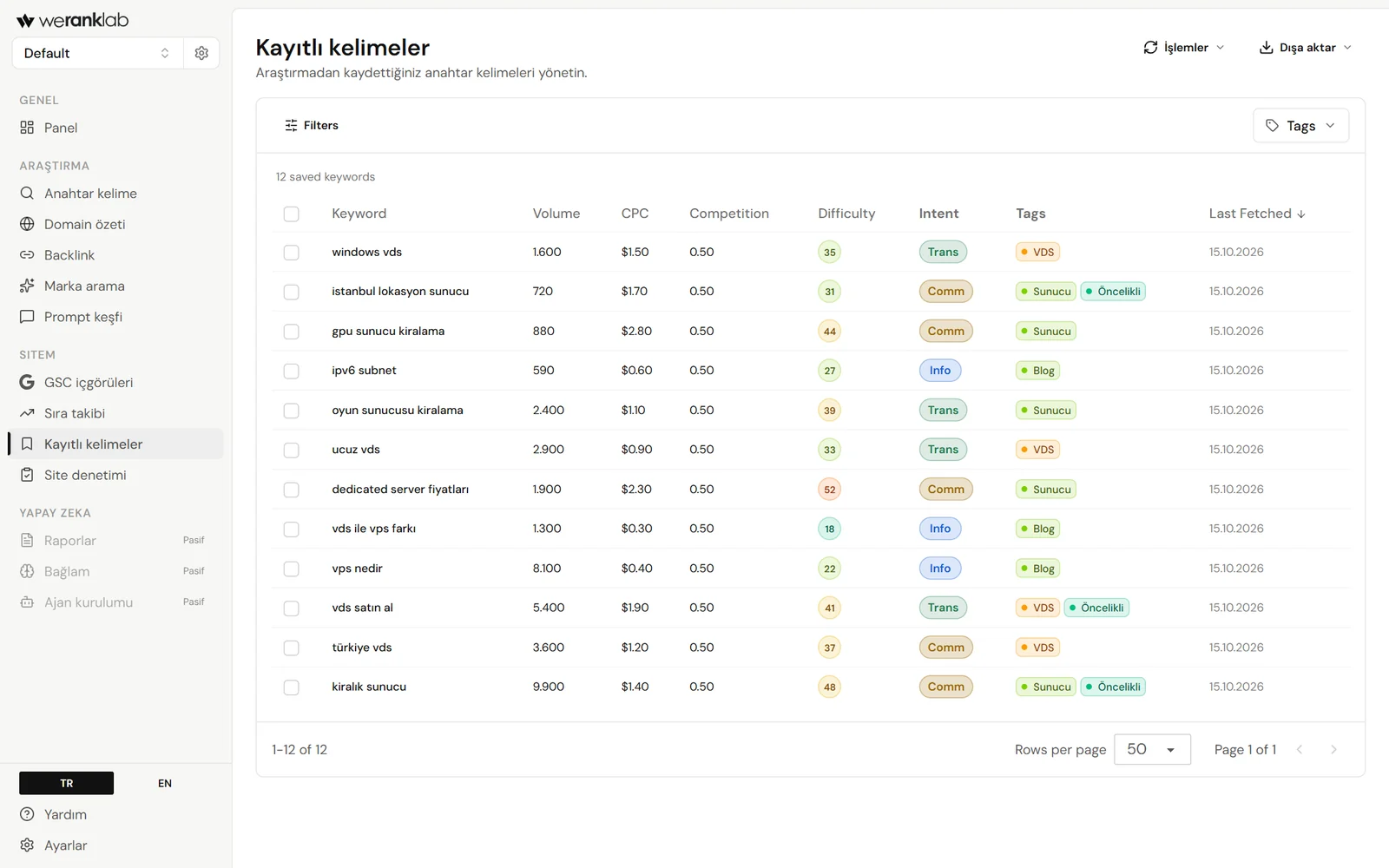
- Saved keywords
- Ideas on hand
- Tags
- Grouped by topic
- Volume
- Searches per month
- Difficulty
- Where to start
How it works
In three steps
- 01
Save the keywords you like
Like an idea during keyword research? Save it in one click so it doesn't disappear with the next search.
- 02
Tag them
Tag keywords by page, campaign, topic or priority, so the list stays easy to read as it grows.
- 03
Use them later
Pick from this list when you plan content or add keywords to rank tracking.
- 01Group keywords by topic or page.
- 02Pick the keywords you'll add to rank tracking ahead of time.
- 03Keep the keywords your team finds where everyone can see them.
- 01The same saved list works in research, rank tracking and the AI tools.
- 02Volume, CPC, difficulty, intent and tags are saved with each keyword.
- 03Simple enough to open every week.
Comparison
How it differs from the big SEO suites
By big suites we mean how the market usually works. Individual products' plans differ, so compare against what you actually need before you buy.
Related features
Keep going in the same workspace
FAQ
Frequently asked questions
Why save keywords in an SEO tool?
Because the good ideas you find while researching get lost by the next search. Save them, and they're all in front of you when you decide what to write or track.
Can saved keywords be used with rank tracking?
Yes. When you choose which keywords to track, your saved list is the best place to start.
How do saved keywords fit into SEO planning?
You save what you find in research, tag it by page or campaign, and add the most important ones to rank tracking. It's the notebook between finding a keyword and writing the page for it.
Free tools and resources (06)
Start without signing up
Google Rank Checker
Where does your site rank on Google for a keyword? Checks the top 20 and shows who is above you.
FreeKeyword Generator
Type a topic and see what people actually search for, with monthly search numbers.
FreeWebsite Traffic Checker
Estimate how many monthly visits a site gets from Google and how many keywords it ranks for.
FreeSERP Simulator
See how your page title and description will look on Google before you publish.
FreeDomain Age Checker
When was a domain registered, when does it expire, and who is the registrar?
SupportStuck on something?
For Telegram setup, choosing a package or invoices, email [email protected].
Get started with weranklab
No subscription. Buy a credit package and your balance only goes down for the checks and research you run.