Chrome extension
Rankings, indexing and articles, right in Chrome
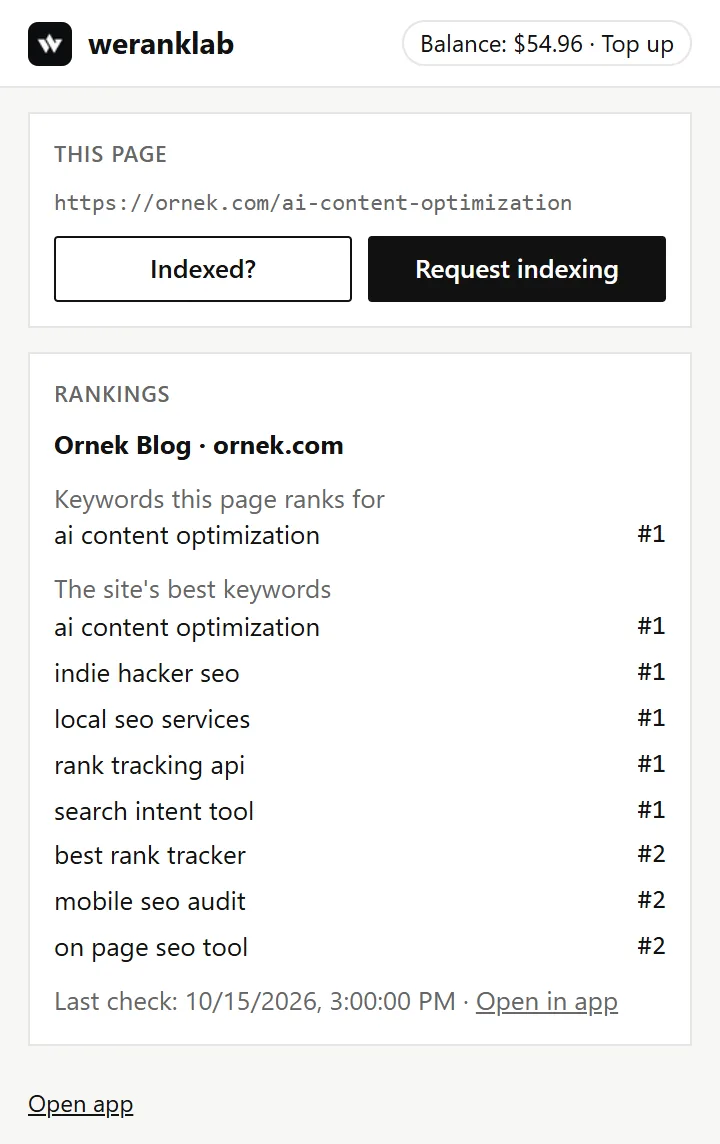
See where the page you're on ranks, check whether Google has indexed it, request a crawl, and create a new article using the page as a source, without opening the app. Also works in Edge, Brave and Opera.

Chrome extension
How to install
Chrome · Edge · Brave · Opera
- weranklabSEO, rank tracking and indexingAdd to Chrome01
Add it from the Chrome Web Store
Open the weranklab page on the Chrome Web Store and press “Add to Chrome”, then “Add extension”.
- Extensionsweranklab02
Pin it to the toolbar
Click the puzzle icon next to the address bar and the pin next to weranklab, so the icon is always one click away.
- →Connect accountConnect the extensionConnected ✓03
Connect your account
Click the weranklab icon and press “Connect account”. On the page that opens, press “Connect the extension”. You need to be signed in to weranklab.
- 04
Use it on any page
Open a page and click the icon: rankings, “Indexed?”, “Request indexing” and article creation are there.
New · Article writer
A new article from the page you're on
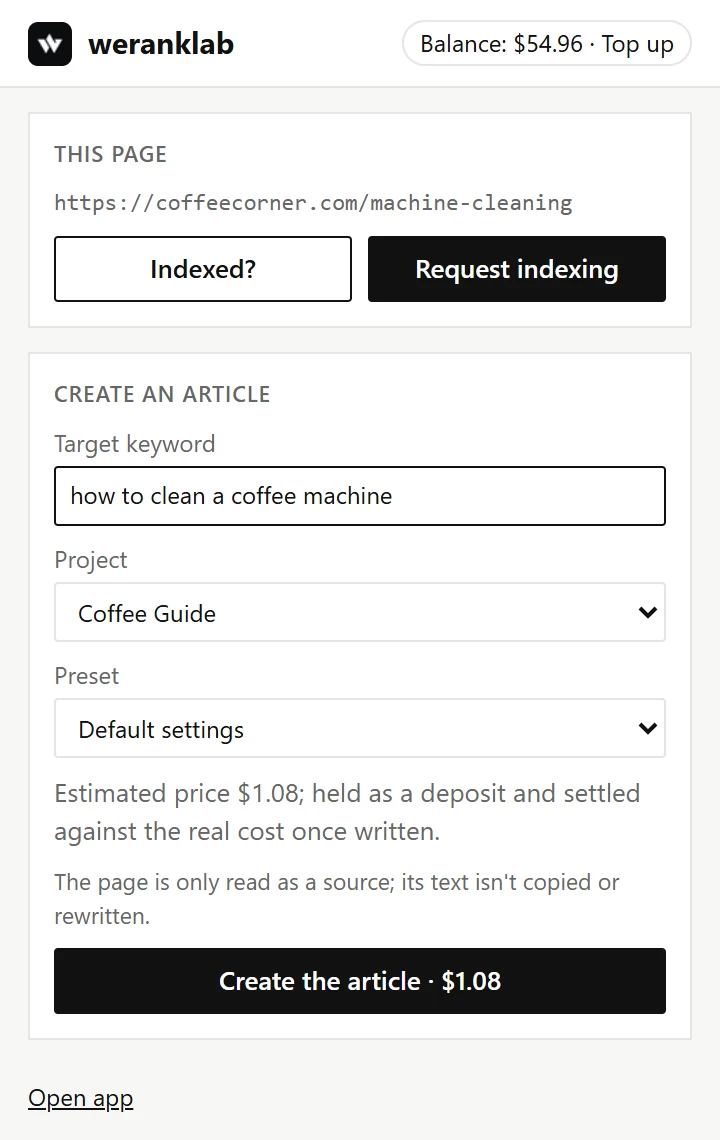
Point at a page you like as a source: the extension fills in the target keyword, your project and the estimated price, and the article is written in the app. The page is only read as a source; its text isn't copied or rewritten.
Chrome extension
How to use it
See the page's rankings
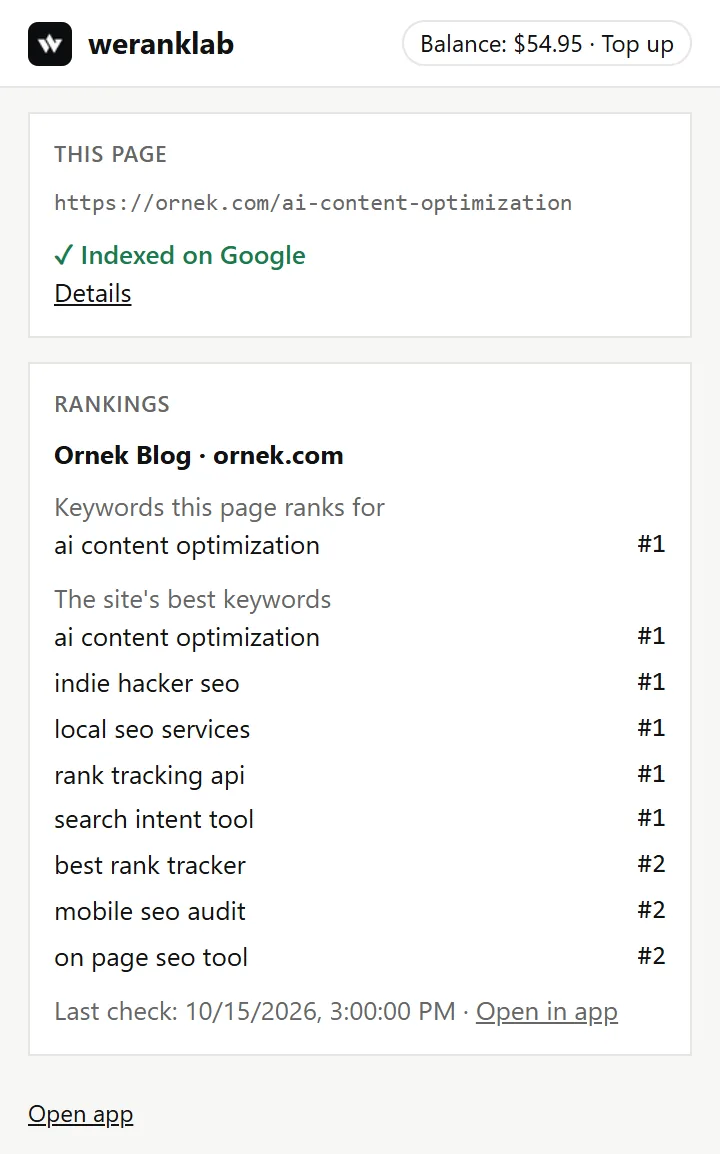
On a site you track, the popup lists the keywords the page ranks for and the site's best keywords, with their latest change.
Indexed? One click
Press “Indexed?”, see the price and confirm. The answer shows in the popup and in the app a few minutes later.
Request indexing, checked first
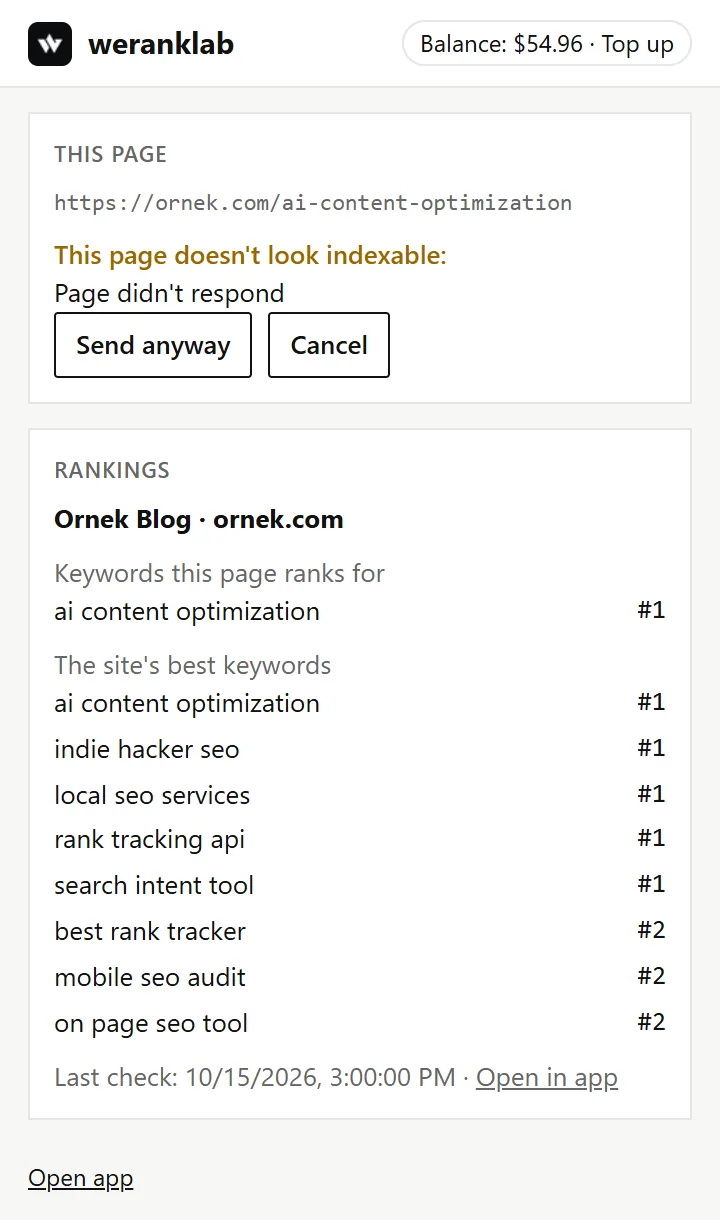
Before a crawl request we check noindex, canonical, robots.txt, redirects and error codes. A page that can't be indexed isn't sent unless you insist.
Create an article from the page
Press “Create an article using this page as a source”. The target keyword comes from the page's heading; pick the project, see the estimated price and confirm. The article is written in your project and opens in the app.
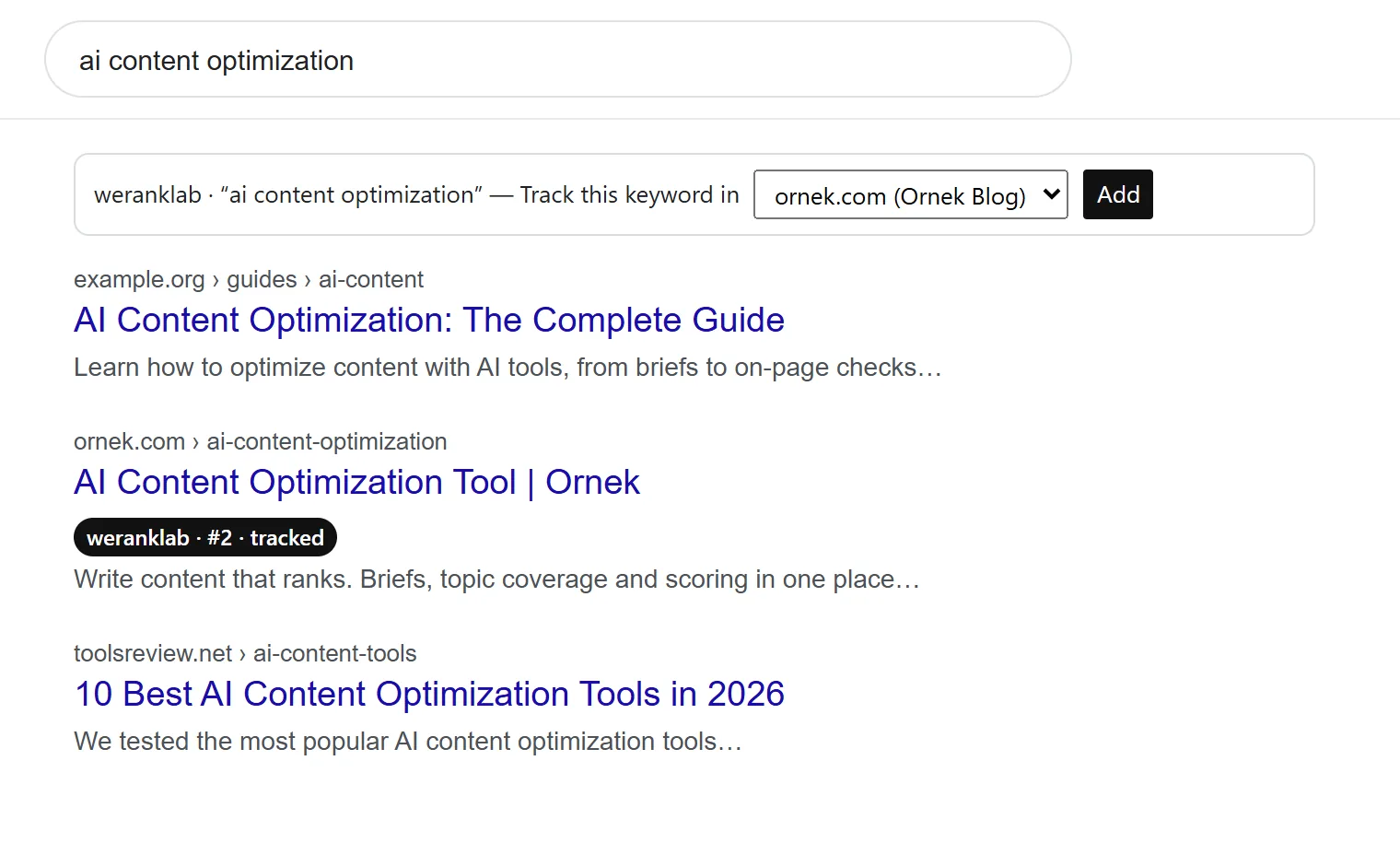
Your sites on Google results
Results from sites you track get a badge with their position on that page. Add the searched keyword to tracking from the bar above the results.
FAQ
Questions
Does the extension cost anything?
The extension is free. Index checks and crawl requests use credit from your balance, at the price shown before you confirm. Rankings and the Google results badges cost nothing.
How much does an article cost?
You see the estimated price before you confirm, and it's held from your balance as a deposit. Once the article is written it's settled against the real cost: the unused part is refunded, and a run that cost more charges the difference.
What does it see?
The address of the tab you open it on, and the search on Google results pages, to show your data for them. It reads a page's text only when you press “Create an article using this page as a source”, and sends it to your own weranklab account to write the article. It doesn't read pages in the background or keep a history.
How do I disconnect it?
Press “Disconnect” at the bottom of the popup, or remove the “Browser extension” key under Settings › API keys in the app. You can also remove the extension from Chrome at any time.
No account yet?
The app and the extensions work with your weranklab account. No monthly fee: pay as you go.