From a keyword to a publish-ready SEO article
Type your target keyword. We read the pages ranking on Google's first page, plan an outline, write the article with images and check its quality. Edit it in the workspace, take it as Markdown or HTML, or send it straight to your WordPress site.
- No monthly fee
- In every package
- 1 credit = 1 USD
- Languages
- 12, including English and Turkish
- Content types
- Blog, how-to, listicle, product and more
- Quality score
- Out of 100, with editor notes
- Publishing
- WordPress, Markdown, HTML, webhook
From the workspace
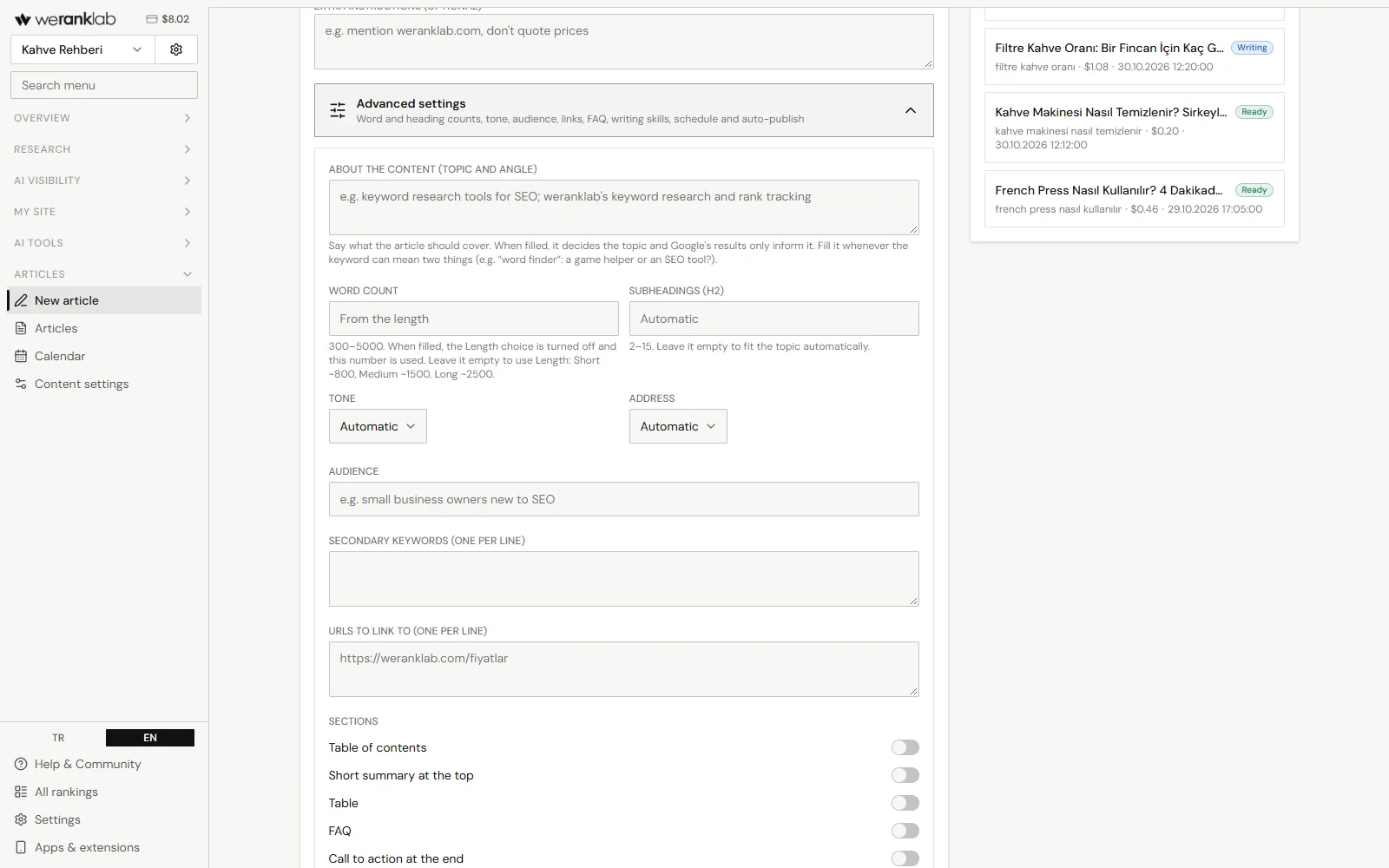
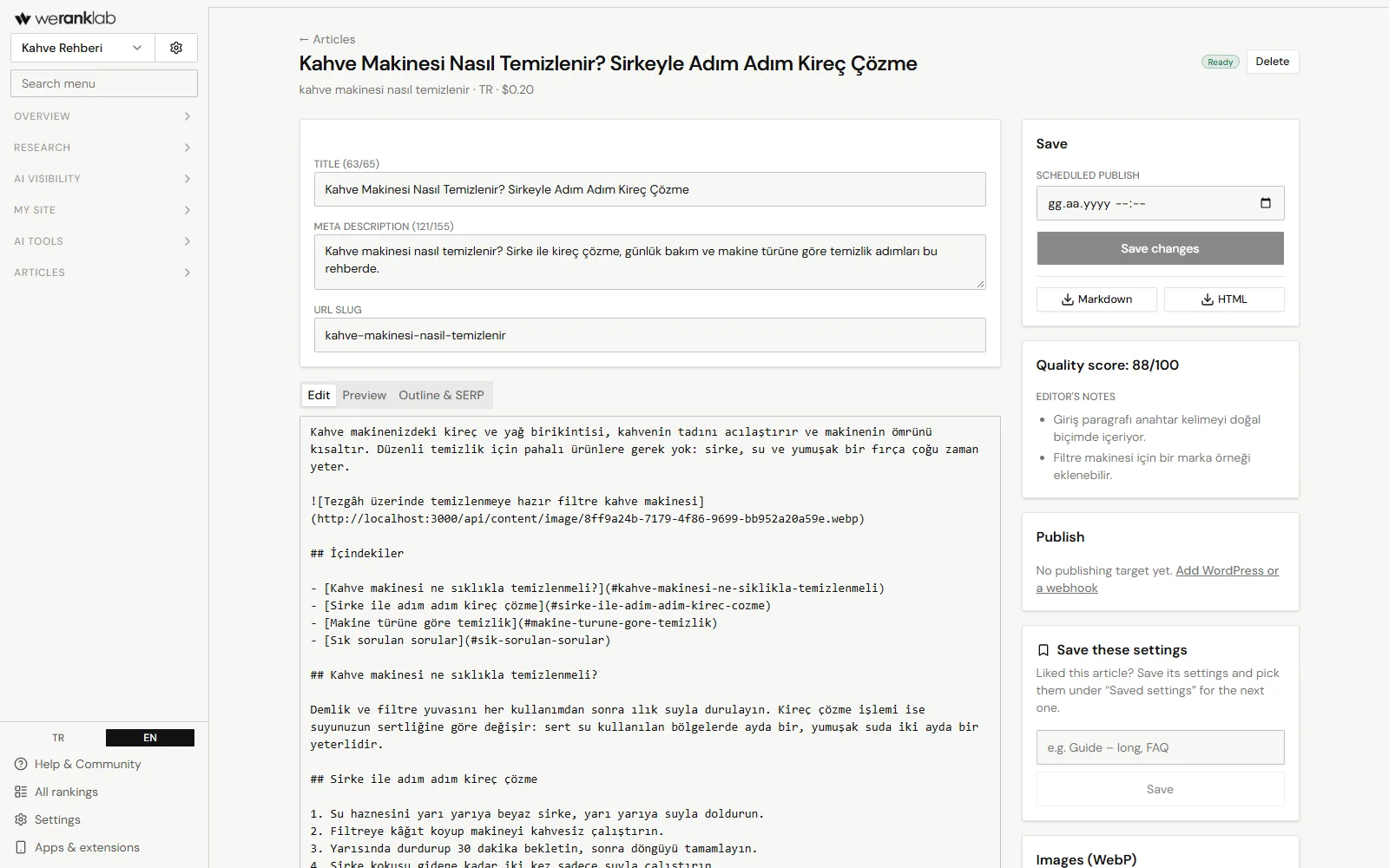
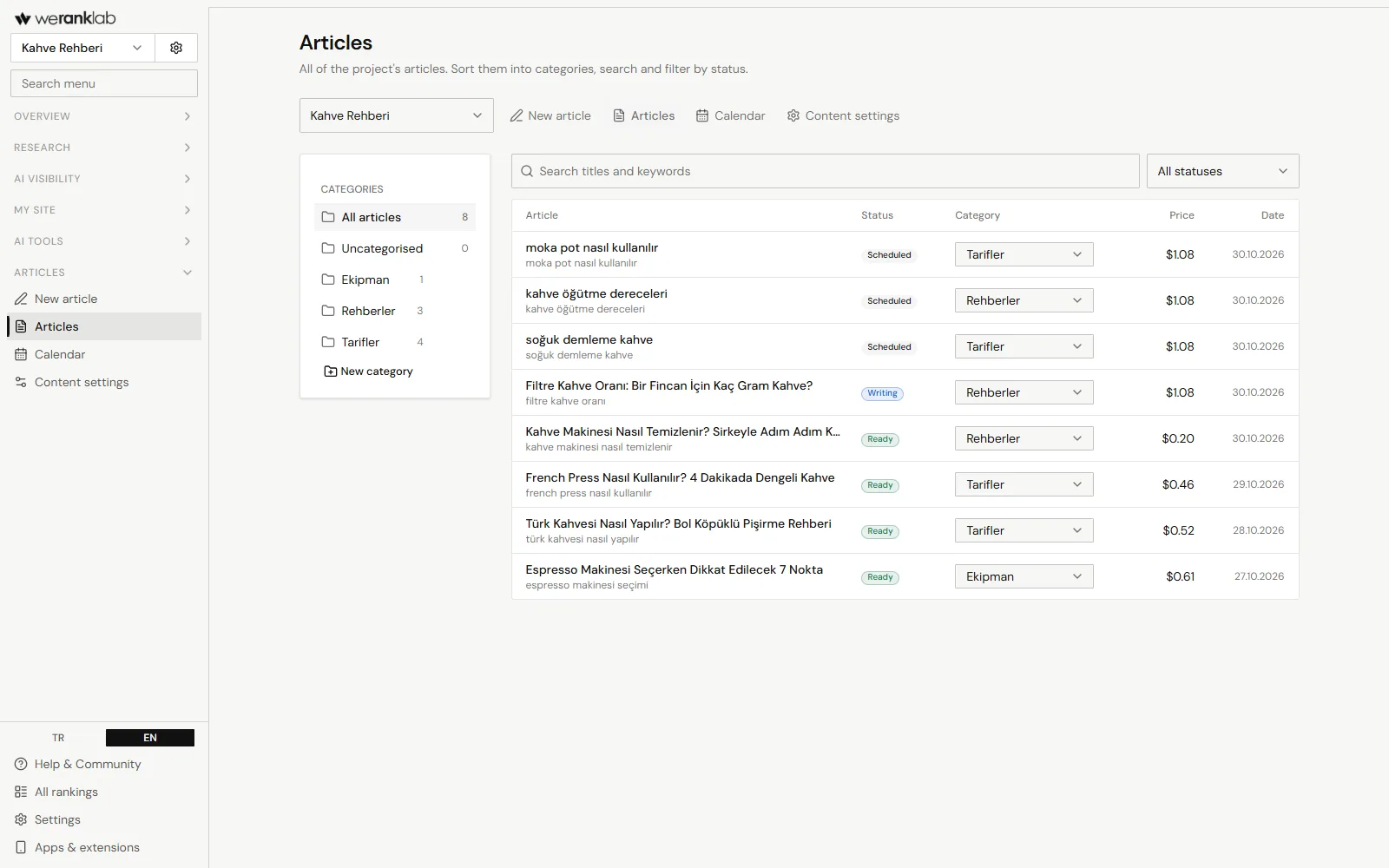
What it looks like in the workspace
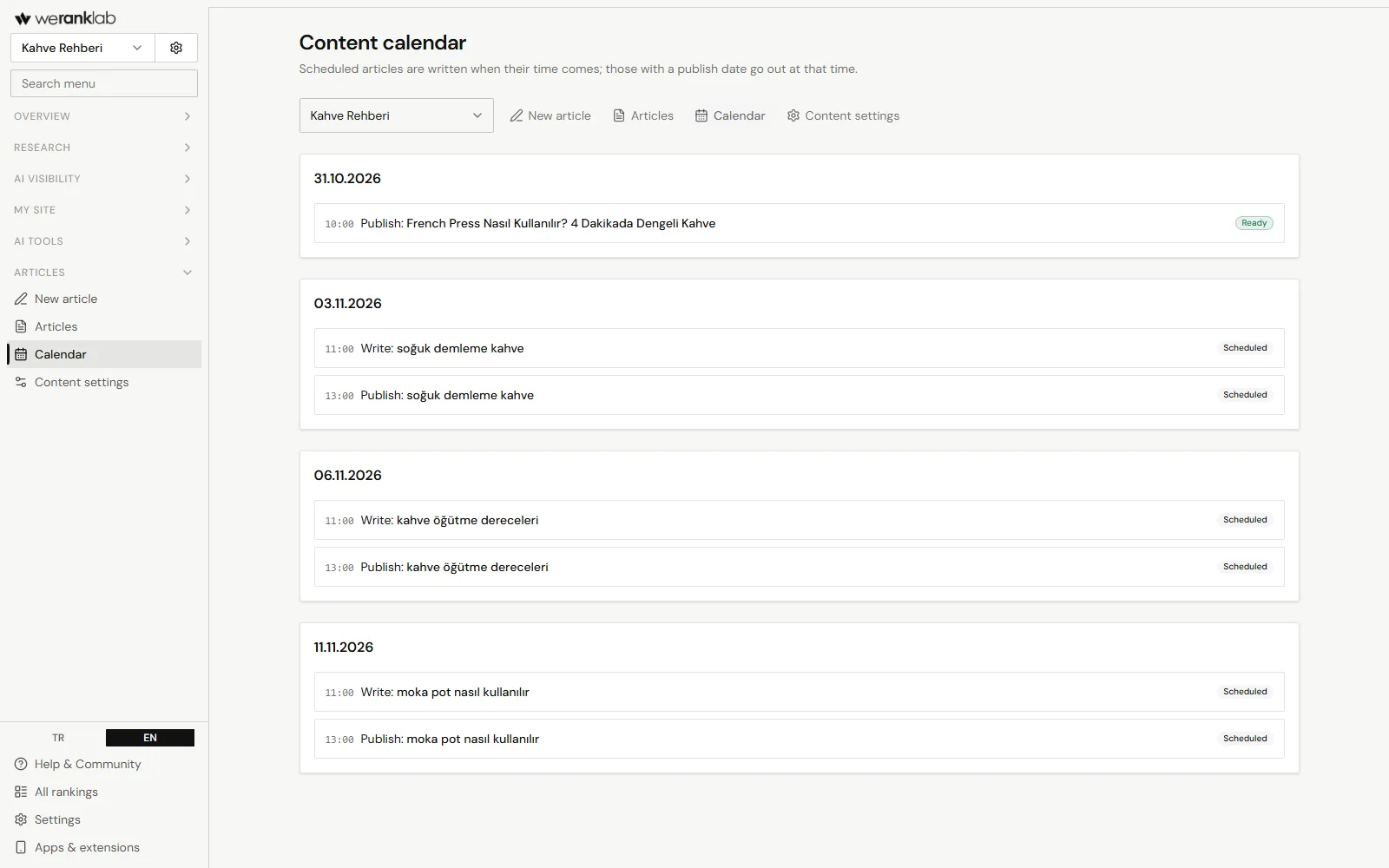
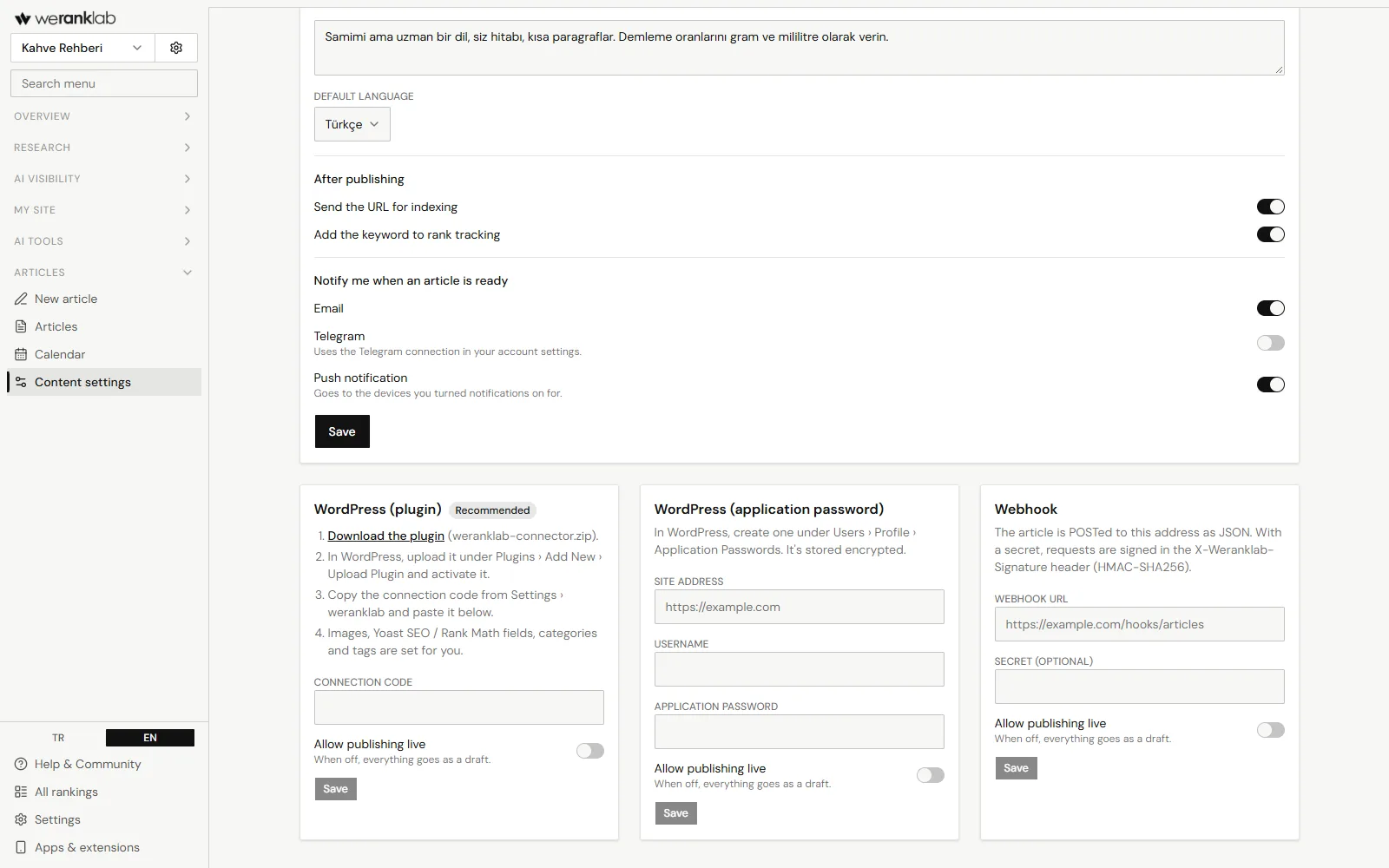
How it works
In three steps
- 01
Pick a keyword and settings
Language, content type and length are enough. Add a topic, word count, number of sections, tone, audience, secondary keywords, links, a table of contents, FAQ, table or call to action if you like, and save the settings you use often.
- 02
We research and write
We read the pages on Google's first page, plan an outline and write the article. Add an editing pass for natural language, SEO and expertise if you like. The quality check scores the article out of 100 and fixes issues once when the score is low.
- 03
Edit and publish
Edit with a preview, download Markdown or HTML, or send it to WordPress as a draft. After publishing, send the page for indexing and add the keyword to rank tracking.
- 01Write guides and how-to posts for your blog around keywords people search for.
- 02Get product pages, comparisons, product introductions or company profiles written.
- 03Add articles to the content calendar so they're written and sent to your site on time.
- 04Have the same topic written in other languages for multilingual sites.
- 01We read Google's first page before writing and add related searches and internal links to your own pages.
- 02Images come as WebP with alt text; the HTML export includes FAQPage structured data for the FAQ.
- 03With the weranklab Connector plugin, WordPress gets a draft by default, with Yoast and Rank Math fields, category, subcategory, tags and images filled in.
- 04We let you know by email, Telegram or push notification when an article is ready.
- 05No monthly fee: you see an estimate before starting, and the difference to the real cost is refunded at the end.
Comparison
How it differs from the big SEO suites
By big suites we mean how the market usually works. Individual products' plans differ, so compare against what you actually need before you buy.
FAQ
Frequently asked questions
How is the article writer billed?
You see an estimate before starting, held from your credit as a deposit. When the article is done you pay the real cost and the difference is refunded. Articles that can't be written are refunded in full.
Which languages can articles be written in?
Turkish, English, German, French, Spanish, Italian, Portuguese, Dutch, Polish, Russian, Arabic and Azerbaijani. Google results are read from the country of the language you pick.
How do I send an article to WordPress?
The easiest way is the weranklab Connector plugin: install it and paste its connection code into the content settings. You can also use a WordPress application password or a signed webhook. Articles go as drafts unless you allow direct publishing.
Can I edit the article?
Yes. Edit the title, meta description, URL slug and text in the workspace and check them with the preview. Or download Markdown or HTML and add it to your own system.
Does an article guarantee rankings?
No. Google decides where pages rank. We write the article after studying the first-page competitors, check its quality and make it easy to track its ranking after publishing.
Free tools and resources (06)
Start without signing up
Google Rank Checker
Where does your site rank on Google for a keyword? Checks the top 20 and shows who is above you.
FreeKeyword Generator
Type a topic and see what people actually search for, with monthly search numbers.
FreeWebsite Traffic Checker
Estimate how many monthly visits a site gets from Google and how many keywords it ranks for.
FreeSERP Simulator
See how your page title and description will look on Google before you publish.
FreeDomain Age Checker
When was a domain registered, when does it expire, and who is the registrar?
SupportStuck on something?
For Telegram setup, choosing a package or invoices, email [email protected].
Get started with weranklab
No subscription. Buy a credit package and your balance only goes down for the checks and research you run.